About
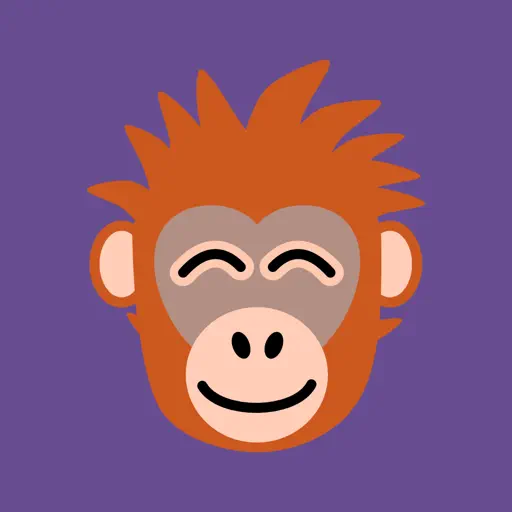
No Treat Today is an application that rewards your efforts in the face of temptation. Did you overindulge today? That’s all you need to know to get started with No Treat Today. It helps you understand your cravings and how you react to them. With No Treat Today you’ll track when you chose to eat that cake or have an extra slice of pizza. The more you track, the more you understand your behaviors so that you can change your habits over time. No Treat Today is fun to use — just tell Crush, your lovable ape companion, how your day went. Answer Crush’s question — Too many treats today? Answer with a simple “yes” or “no” or note down what you consumed so you can review it later. Collect new apes on the days when you don’t overindulge. Reflect on the previous week and set new goals for yourself, adding new apes as you go. Have a day when things don’t go so well? No problem, we’re all human (except the apes, of course!). Tracking doesn’t have to be judgmental — diets can often be unsustainable because they ask too much of us. Unlike some habit-tracking apps, you won’t have to start all over again — and your apes are always just a few clean days away from returning. What’s more, those full days don’t have to be consecutive — they can be made up of several meals over multiple days. The aim isn’t to beat you up but to inspire and reward — No Treat Today helps you track your progress without the demoralization that can come from having to restart a streak because life got in the way. With No Treat Today you’ll: * Set goals and define what you class as a treat including options for fast food, snacks, alcohol, and more. * Customize your goals as you go — tell Crush how long you’d like to go between treats and adjust that goal as new challenges or life changes come up. * Be reminded to log how your day went. * Log your meals as you eat them or all at once at the end of the day, it’s up to you. * Set up ‘plates’ to more easily input foods that you regularly eat. * Collect apes as you track. Each ape adds to your growing family and helps visualize your progress. You’ll notice new types of apes the longer your streak continues with five different kinds to collect. * Attract special apes on holidays and during in-app events. * Use the No Treat Today Apple Watch companion app, iPhone widgets, and more to easily track your progress. * Find information on your planet’s population and more. But really, it’s all about those apes. Sure, they’re cute and you’re going to love collecting them. But it’s about what your apes represent. Each ape shows how your choices add up and small changes can make a big impact, even if we don’t always know it. Why is it about apes? Crush, the orangutan mascot, along with the other apes, reminds us that reducing sugar consumption helps protect these amazing creatures by reducing deforestation for palm oil production. It’s also about calming our “monkey mind” by choosing healthier, more mindful eating habits. Keep tracking your efforts, and you’ll soon have a planet full of different apes, all reminding you of how great you’re doing! No Treat Today is free to download, but unlocking all features and apes requires a subscription or a one-time purchase. Privacy: https://notreat.today/privacy/ Terms: https://notreat.today/terms/ It's time to download the app and get your first apes now!
What's New
Version 2027.2 • Oct 8, 2026
Ape care - Wake-Up Day is on 23 October 2026: attract an ape that day and it arrives fast asleep, dreaming of a donut New - Bedside Clock. Crush sleeps beside the time and dreams of your Sweet Memories. Set a real alarm in Settings › Bedside Clock or on the clock itself: it rings even when the app is closed or your iPhone is on silent, with Stop and a nine-minute Snooze - A Bedside Clock widget for StandBy and the Lock Screen shows Crush asleep above the next alarm, and "Open Bedside Clock" works from Siri, Spotlight and the Action button - iPhone Duo. Every screen folds with the phone: two pages side by side in Book, and an iPad-like layout fully open. Stand it like a tent and the Bedside Clock opens by itself - Answer and a little moon lifts off the planet you touched and flies into the day's bubble - Rather not see the camera moon on Today? Hide it in Settings › Planets & Moons Improvement - On iPad and wide screens, Population, History, Memories and Settings show a list beside its details - The meal editor grows out of Crush's speech bubble and folds back into it - Turned sideways, Crush sits beside the open meal instead of above it, and onboarding scrolls when a step does not fit - The camera opens and closes without a stutter - Locking in your wager gives a click you can feel Bug Hunt - The free-trial button shows its price in your App Store currency, like the plans above it - History's rings no longer blink when your data refreshes - The diet picker no longer lists foods that cannot be picked - A fresh install no longer overwrites the meals per day, birthday priority and Max sugar you had set on another device - Built-in tags, occasions and portion presets take your language once on update, and a tag you renamed keeps its name Accessibility - VoiceOver announces each meal you log or remove, the guess game's verdict and what dictation recognized - Each moon in the bubble says which meal it is, so Voice Control can tap it by name, and Reduce Motion swaps the bubble's flights for crossfades - Toolbar buttons have names as well as icons, so VoiceOver reads them and Voice Control can tap them by name Texts - Update Fortnight is now Update Celebration, and no longer promises two weeks - Food and season names speak every language, German says du, and a few translations lost stray symbols and leftover English words Foundations - The Bedside Clock needs iOS 26.1: its alarm goes through Apple's alarm framework, so it rings on time even when the app is closed If you enjoy the app, a rating or review means a lot. Thank you!
Ratings & Reviews
4.8
4.8
69 Ratings
Information
Developer
GoodwhaleCategory
Health & Fitness
Size
152.4 MB
Age Rating
12+
Version
2027.2
Last Updated
Oct 8, 2026